How do you keep a physical tag useful after its information changes?
Where it stands. A reusable physical tag opens a profile whose owner can update the information online.
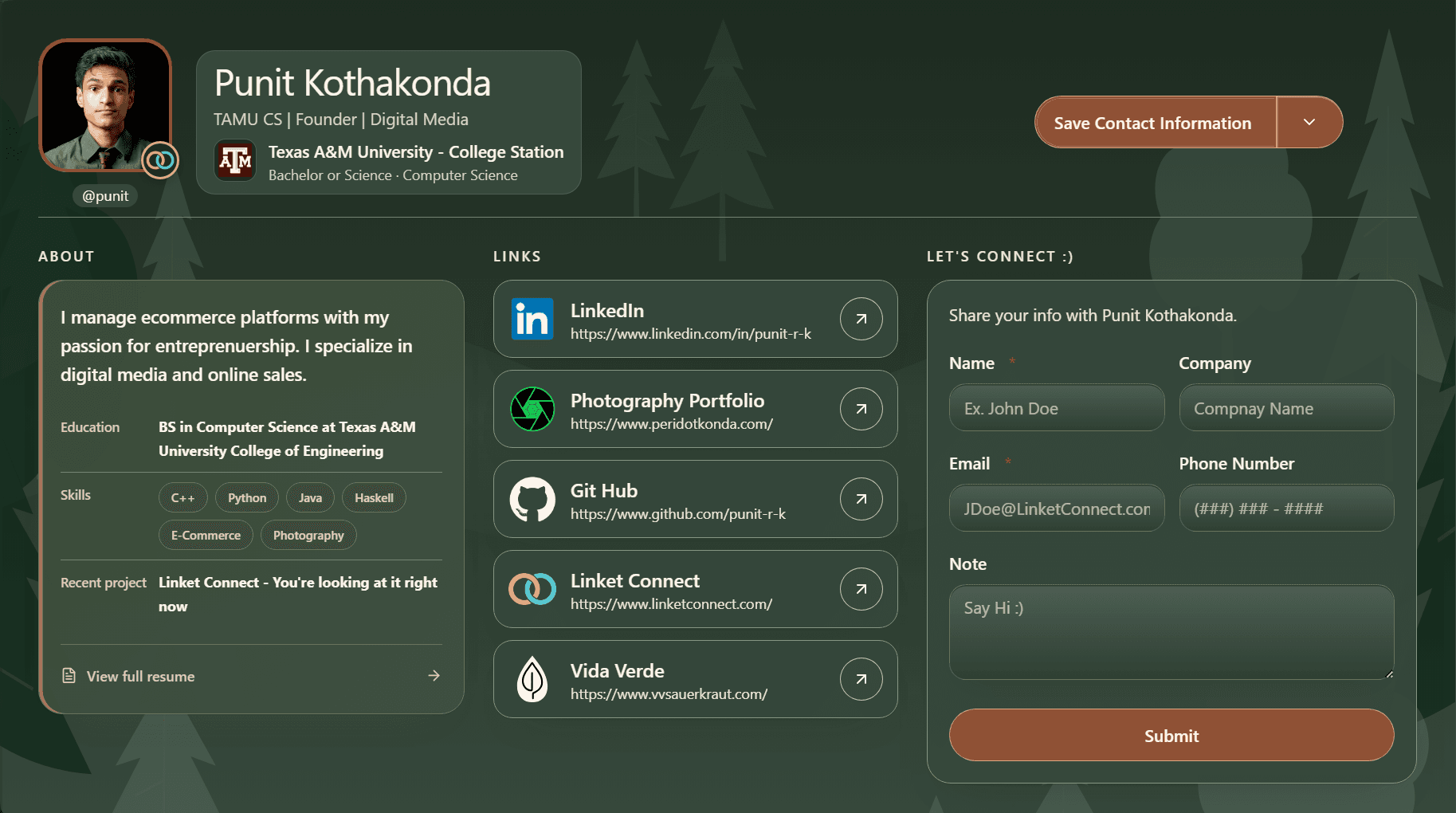
My public profile at linketconnect.com/punit. Screenshot provided October 28, 2026.
What the project does
A paper business card cannot change after printing. Linket pairs a physical tag with an editable web profile. Near-field communication, or NFC, lets someone tap the tag with a phone; a QR code offers another way in. The visitor can then save contact details, open links, or send a message.
The tag needs to keep working after its owner changes their information. Owners also need to edit details without publishing every draft. The two decisions below explain how the server finds the right destination and decides what a visitor can see.
Why I built it
Photography and working with clients made me care about how people present their work and connect with others. Linket brings that interest into something I can build, from a physical tag to the profile it opens. I wanted sharing a person’s work or a small business to feel simple, with information that stays useful as they grow.
My work. I built the application from the ground up, including the profile editor, public pages, and the routing that connects tags to profiles.
I founded Linket Connect and lead its development as CTO.
How someone uses it
01
Tap or scan
An NFC tap or QR scan opens a browser destination.
02
Resolve the tag
The server checks the tag and its current assignment.
03
Open the profile
The normal profile destination shows active, visible information.
04
Choose an action
Save contact details, open a link, or complete the form.
05
Continue the connection
A valid form submission is saved for follow-up.
Tools and languages
Here’s what each part does, why it fits this project, and what a different approach would change.
TypeScript
The language used for the interface and server code. I used shared types to keep profile, contact, and form data consistent across the app.
Another option
Plain JavaScript needs less type setup but catches fewer data mismatches before running.
Tradeoff
Types need maintenance. Zod checks incoming request data because types alone cannot validate outside input.
React + Next.js
React handles interactive forms; Next.js serves public pages and server endpoints. I kept public profiles and signed-in editing in one application rather than maintaining a separate backend.
Another option
Keeping this React interface with a separate Python or Java API would add another service to deploy and connect.
Tradeoff
Browser and server code need clear boundaries for data, caching, and secrets.
PostgreSQL + Supabase
PostgreSQL stores related records queried with SQL. Supabase supplies the database, login, and file storage. I used SQL for ownership relationships and one provider to avoid connecting separate login, data, and storage services.
Another option
A document database could keep a profile together, but accounts and tag assignments would still need consistent links.
Tradeoff
The app depends on a managed provider and carefully maintained access policies.
Tailwind CSS
Styles the interface alongside reusable buttons, inputs, and dialogs. I kept responsive styles beside components and reused variants to keep control states consistent.
Another option
Plain CSS could provide the same behavior with less styling in component markup.
Tradeoff
Utility classes can become repetitive, so common controls need reusable variants.
Node.js tests
Node.js runs JavaScript checks for data retrieval, profile edits, contact files, and access rules locally. I used small tests to check rules without changing live accounts or buying anything.
Another option
Manual browser checks help with the interface but can miss repeat failures.
Tradeoff
Mocked tests need separate integration checks to verify deployed services and policies.
How the parts connect
User boundaryTag URLA stable public token identifies the physical tag.
Boundary 1Server routeResolve tag status and the current assignment.
Boundary 2Profile lookupFind the assigned public handle and active profile.
Boundary 3Public pageSelect display fields and apply visibility rules.
ResultVisitor actionSave contact, open a link, or submit a form.
The usual visitor path. Other branches handle an external link, an unclaimed tag, or an owner preview.
Key decisions
Decision 01
Keep the tag stable. Resolve its destination on the server.
Keep the tag's address stable while its destination changes.
The problem
A distributed tag may later need to open a different profile or website. Updating every distributed tag would require access to those tags. The route also handles claiming and owner previews.
The approach
The server looks up the tag's token and assignment, then opens the assigned profile or a validated web address. It can fall back to the owner's active or recent profile.
Why this approach
Changing an assignment in the database updates the destination without replacing the tag. The route also checks status and separates an owner preview from an ordinary visit.
Another option
A fixed profile address supports edits within that profile. Switching to another destination would need a tag update or redirect logic.
The tradeoff
Every handoff depends on the server and database. An unknown tag goes to the homepage without a clear explanation of what happened.
How it was checked. Traced in source and checked against the public guide. Physical hardware and an isolated redirect test were not exercised. Scan records do not establish unique visitors.
More about the evidence
Repository reviewReviewed the tag route’s status branches, assignment lookup, profile resolution, destination validation, and owner-preview handling.
Public productThe public sharing guide describes browser access, QR fallback, and updates without reissuing hardware. View product ↗ (opens in a new tab)
Decision 02
Which parts of an editable profile should visitors receive?
Apply publication rules before sending a profile to its visitor.
The problem
An owner's saved profile can contain hidden links and draft background details. Direct anonymous reads are restricted. Public pages still need access to published information without exposing drafts.
The approach
Server lookup selects named display fields, requires an active profile, and removes hidden links and sections. Query failures surface instead of retrying through anonymous access.
Why this approach
Filtering before rendering gives the visitor a limited public view. Owner reads keep hidden details available for editing. Both sides of that distinction can be tested with the same sample profile.
Another option
Allow anonymous database reads through row-level policies. That can work, but publication rules for nested sections still need careful enforcement.
The tradeoff
The privileged server client makes filtering important to get right. Every new profile field needs a publication rule and regression coverage.
How it was checked. Local tests cover hidden sections, batched reads, unchanged edits, and denied anonymous access using sample data or mocked clients. They do not prove production database policies.
More about the evidence
Repository reviewReviewed the explicit public-field selection, active-profile query, public visibility transformation, and anonymous-access restriction migration.
Repository reviewRegression coverage exercises denied anonymous reads, unavailable profiles, server-query failures, and the distinction between public and owner views.
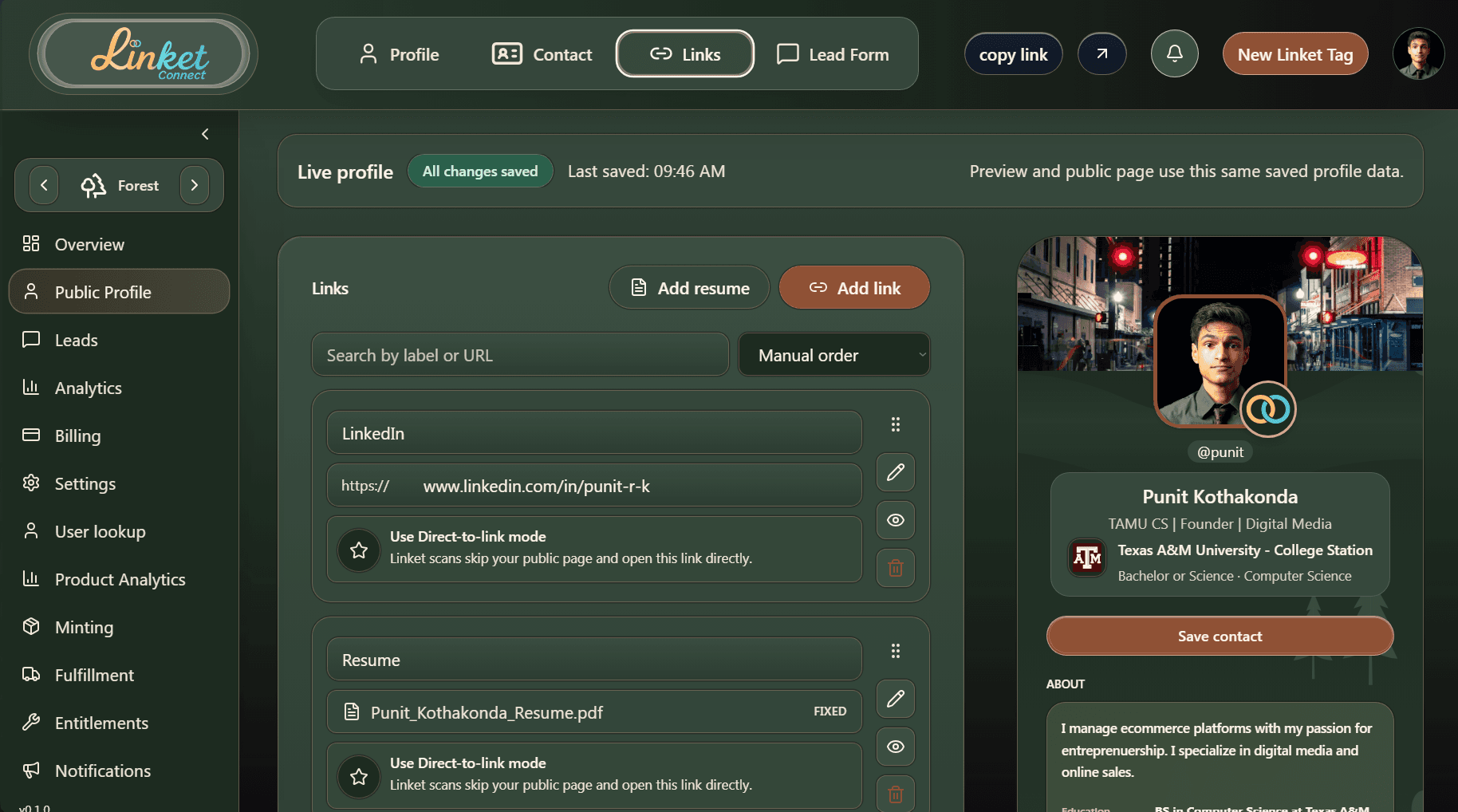
Managing profile links alongside the live preview. Screenshot provided October 28, 2026.
Results and next steps
The public product supports profiles, contact saving, links, and forms. Tag assignments connect the physical introduction to information the owner can update. Thirteen targeted profile and access-rule tests passed in the latest check. Hardware behavior and business impact were not measured.
What I take from this. Keeping a stable identifier separate from changing information makes the product easier to update. Applying publication rules before rendering keeps hidden fields out of the visitor's view.
What still needs work. A form response and its follow-up lead record are separate writes. The response can succeed while lead insertion fails and is logged, leaving a gap between submission and the follow-up view.
What I would do next. Add a recovery job for saved responses missing a lead record and test that failure. Give unavailable tags a page that explains what the visitor can do next. These are proposed improvements.